
EaseUS : choose the job before choosing the software
Recovering missing files, keeping a recoverable backup and changing a disk’s partitions are different jobs. Start with what you need to recover or change and what your existing arrangement already provides.
Check your recovery requirements
Separate the three jobs
| Your job | Family to investigate | Establish first |
|---|---|---|
| Find missing or deleted files | Data Recovery Wizard | Which source and files are involved, whether an existing copy meets the need, preview/save limitations and a separate destination for any recovered files. A successful preview is not our proof of recovery. |
| Prepare a copy for a later recovery | Todo Backup or an adequate existing backup arrangement | The files, system or other charges actually needed, a recovery point and a demonstrated restore procedure. Planning a backup is different from recovering files already lost. |
| Inspect or change partition layout | Partition Master | The intended layout and affected data, current device/OS/edition support and an independent recovery arrangement. A partition preview is not a completed operation or an independent backup. |
These are decision charge groups, not instructions to operate on a drive. No software was installed, disk scanned, partition changed or recovery performed for this guide. Keep a suitable existing, built-in or checked manual arrangement when it meets the job.
Trial preview and free saving are different
The retained November 3, 2026 reading of EaseUS KB30030 distinguishes a Trial that permits preview from the Free edition’s file-saving allowance. It describes 500 MB by default and another 1.5 GB tied to social sharing, up to 2 GB in total; this is not an unconditional 2 GB allowance. No sharing was performed or requested here.
The article describes a total allowance per computer, not a fresh allowance after reinstalling, and excludes Mac SD-card recovery from its advertised 2 GB scope. Check the exact operating system, edition and remaining allowance before relying on a free option. Those published conditions are not our test of the installed product.
Check the source and destination separately
The retained Windows FAQ, KB30028, says network-drive recovery is not supported in that FAQ and warns that saving recovered files onto the source drive can overwrite source data. Its stopped/completed scan-session export is separate from resuming an interrupted scan in place. Confirm the current product-specific procedure and destination; this guide promises neither recovery success nor a particular scan time.
Historical example: disk layout versus a resize preview
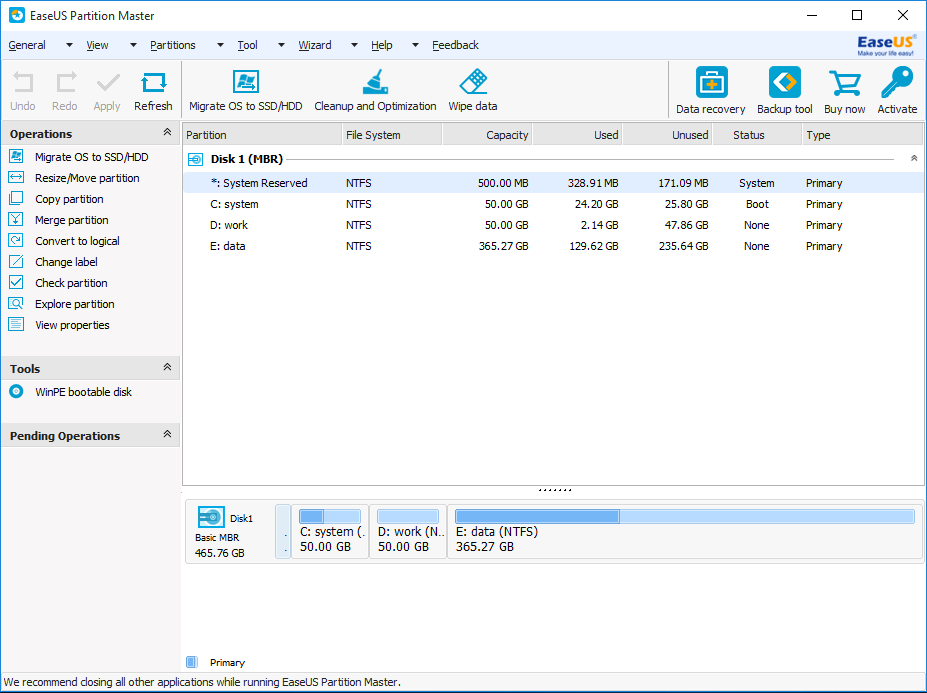
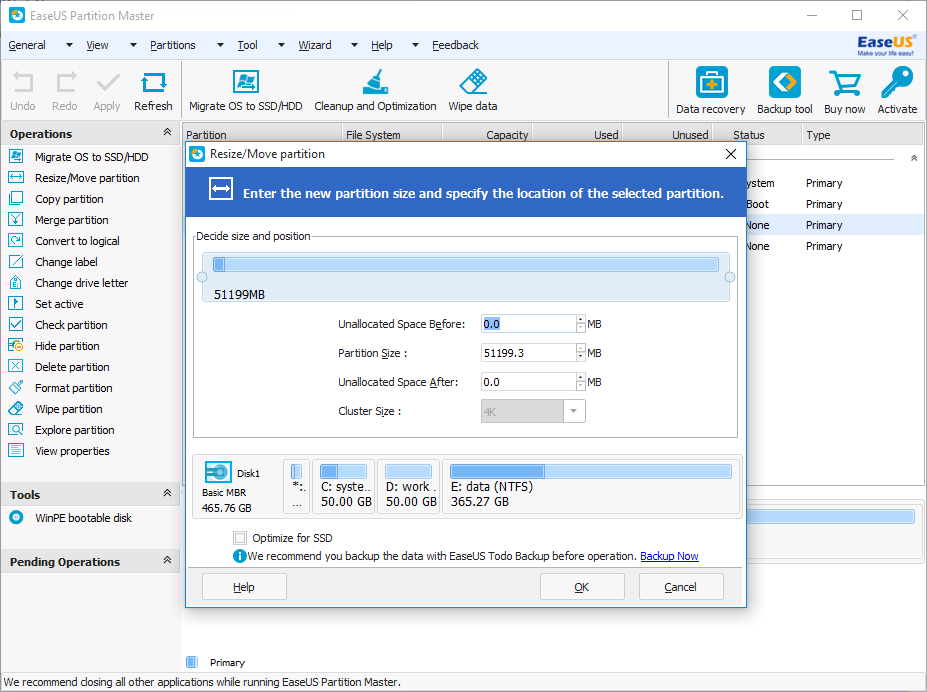
The first supplier screen shows a sample disk as partition rows and a map. The second shows a Resize/Move configuration preview. Reading a layout, previewing a change and applying an operation are separate steps; neither image is a backup or a recovery result.
Current-interface equivalence is unverified. Historical supplied illustration: the ZIP entry is labelled September 29, 2016. Actual capture date and software build are unknown. This is not the current 2026 interface or a MailboxCompare product test; current edition features may differ.
Inspect the whole local original at full size
Current-interface equivalence is unverified. Historical supplied illustration: the ZIP entry is labelled September 29, 2016. Actual capture date and software build are unknown. This is not the current 2026 interface or a MailboxCompare product test; current edition features may differ.
Current-interface equivalence is unverified. Historical supplied illustration: the ZIP entry is labelled September 29, 2016. Actual capture date and software build are unknown. This is not the current 2026 interface or a MailboxCompare product test; current edition features may differ.
Inspect the whole local original at full size
Current-interface equivalence is unverified. Historical supplied illustration: the ZIP entry is labelled September 29, 2016. Actual capture date and software build are unknown. This is not the current 2026 interface or a MailboxCompare product test; current edition features may differ.
- Read the layout firstFirst image: central table and lower disk map
Sample partition rows and the map provide two ways to inspect the illustrated layout. Drive labels and capacities belong to the example.
- Keep the operation state separateFirst image: left pending-operations panel and upper toolbar
A visible toolbar or preview does not show a completed operation. No partition was changed for this guide.
- Check a proposed change before any actionSecond image: Resize/Move dialog
The sample size and unallocated-space fields illustrate configuration. They are not recommended values for your drive, an inclusion promise or proof of recovery.
Visible Buy now, Activate and other supplier controls are nonclickable image pixels, not MailboxCompare purchase actions or current inclusion promises. No disk operation was performed.
Screenshots supplied by EaseUS in its official Partition Master media kit, retained November 4, 2026. Whole original pixels, with separate MailboxCompare explanations. The editorial review window is not a supplier licence-expiry claim.
Check the licence and complete cost before paying
- Confirm the exact product, operating system, edition and device or user scope. A button or another product’s name in a screenshot does not establish that it is included.
- Distinguish the initial payment, any renewal or automatic billing, the included upgrade/support period and what cancellation changes. Different products and licence types must not be treated as one universal lifetime or subscription offer.
- Check the applicable refund terms and exclusions for the actual purchase. A preview, trial, coupon headline or supplier success statement is not a refund or recovery guarantee.
- Keep the source data, separate destination, available storage and any other required hardware or service costs distinct from a software price.
Choose a concrete next check
- Record the required recovery charges and unresolved gaps; a local worksheet result does not inspect your device.
- Review server and database recovery requirements if that is the workload. Do not assume that a server/database service and local disk-recovery software solve the same job.
- Separate cash, commitment and workload assumptions before comparing paid options.
Sources, dates and what remains unverified
EaseUS KB30030 (Trial/Free saving conditions; article dated October 24, 2025), KB30028 (Data Recovery Wizard Windows FAQ; dated November 6, 2025), and KB30004 (Windows activation and upgrades; dated November 1, 2025) are recorded in the retained November 3, 2026 source review. Recheck the current conditions for the exact edition before relying on a dated product-specific rule.
The supplier’s official media-kit article/review invitation and Partition Master screenshot ZIP were retained November 4, 2026. The selected archive entries carry September 29, 2016 labels; actual capture date/build and present-day equivalence are unverified.